Volatco Tutorials
Make an LED blink from a Volatco GPIO signal at a periodic rate.
What You Will Need
- A Volatco board with power and programming access
- One mini-red LED with forward voltage
Vp = 2.0 V - One
550 ohmcurrent-limiting resistor - Jumper wires
- Plugboard or breadboard to create the circuit
- A volatco-serial connection to the board
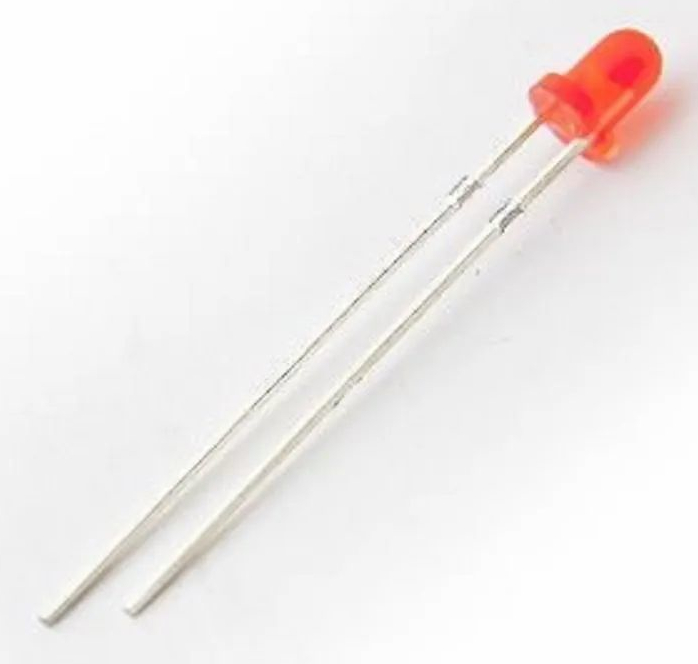
Parts Note
This tutorial uses a 550 ohm resistor and a 3mm red LED with Vp = 2.0 V. Volatco GPIO logic-level is 1.8 V. A 2.0 V LED, the minature one for our demo, is recommended as other LEDs have not been tested, but can be made to work. If the LED you chose does not blink even though your program is running, the LED’s Vp is too great yielding insufficient current at the lead.
Before You Start
- Set
J5to development mode by connecting pins 1 and 2. - Use
J4for manual reset when needed. - Use the
VOL01USB/Power module connected toVOL00in the same stacked arrangement shown on the main page. - Connect both USB-C connectors through a USB hub, so you can access the board via either the IDE
Aor polyForthB. - If you want to prevent SPI flash from auto-booting while experimenting, install
J6jumper and setJ5jumpers to development mode.
Prepare the Volatco
Prepare the board in this order:
- Connect the Volatco stack,
VOL00plusVOL01, to the PC. - Start the
arrayForth 3 VOLATCOprogram. - Type
AFORTH - Type
1662 LOAD - Type
HOST LOAD TALK - Type
SERIAL LOAD PLUG - Hit the space bar to set autobaud.
You should then see:
pF/G144.03b1 12/21/18
hi
Then continue:
- Type
20 DRIVE HIto do the polyFORTH9 LOAD - Type
AFORTHand wait for the variables to be defined. - Type
1585 LISTto inspect the LED demo block.
If block 1585 already exists, its run definition uses 2000 as the milliseconds per half cycle of the square wave. Edit that value if you want a different blink rate. If block 1585 does not already exist on your system, type the LED demo code into the terminal manually, then save or run it before continuing. If you make a mistake while editing, reset the Volatco, repeat the startup sequence, inspect block 1585, and fix what you changed. If you do not use FLUSH, your edits are usually not written to mass storage.
Wiring the LED
Use GPIO 715.17
- Locate the header position that exposes signal
715.17 - Connect
715.17to the550 ohmresistor. - Connect the resistor to the LED anode.
- Connect the LED cathode to one of the ground pins immediately adjacent to
715.17onJ10 - Place the LED and resistor on the breadboard in the same arrangement shown in the demo video.
If you prefer to sink current instead of source it, reverse the LED-resistor order and adjust your program logic accordingly. 715.17 is a general-purpose GPIO shared with nearby analog nodes, so keep tests simple and avoid attaching additional circuitry to that signal at the same time.
Program Code
LED blink in polyForth:
1585
 0 ( 715.17 Blink test)   STREAMER LOAD
 1 ASM[ # 715 NODE ERS # 0 org
 2
 3 : ms ( n)  for  999. for  415. for  unext  next next ;
 4 : run   2000. ( ms per half of square wave)
 5   dup begin  drop  x30000. !b  dup ms  x20000. !b  dup ms
 6     @b xA800. and until  warm ;   >BIN ]ASM
 7
 8 0 ARRAY MYP  207 ORGN 210 TO 710 TO 715 TO -1 ,
 9
10 207 STREAM[   ' MYP COURSE
11     FRAME[   715 +NODE  0 64 715 /PART
12        IO /B  715 ITS run /P   ]FRAME  ]STREAM
13   !SNORK
14
15  ok
If block 1585 is already present, use 1585 LIST to confirm it matches this program. If it is not present, type this code into the terminal, then save or run it before continuing by using FLUSH
Example Workflow
- Power the board in development mode.
- Prepare the stack and start arrayForth.
- Inspect block
1585with1585 LIST - If the block exists, optionally edit the
rundefinition. - If the block does not exist, type the LED demo code into the terminal manually, then save or run it.
- If the block exists, type
1585 LOAD. - Confirm that the program starts node
715 - Observe
715.17changing state at the programmed rate. - Confirm that the LED blinks steadily.
Running the Program
If block 1585 is present, start the program from arrayForth with:
1585 LOAD
This loads the code in block 1585 and starts it running. Each time you enter 1585 LOAD, node 715 is reprogrammed so you can edit run and load again.
Change the Blink Rate
The useful part of this exercise is changing the blink period and loading it again.
In block 1585, line 4 contains:
: run 2000. ( ms per half of square wave)
The value 2000. is the delay in milliseconds for each half cycle of the square wave. Lower values make the LED blink faster. Higher values make it blink slower.
Example:
- Find
2000.and replace it with500.for a faster blink. - One way to do that in the editor is:
F 2000.
R 500.
- Load the program again with
1585 LOAD - Watch the LED and confirm that the blink period changed.
If you do not use FLUSH, the edited value is not written to mass storage; therefore, the experiment is not expressly saved to memory. You can also type Q while viewing the block shadow for the short note that describes what the code is doing.
Further Reading
To learn more about interactive Forth programming, Leo Brodie’s Starting Forth remains a standard-bearer for beginners and professionals.
A Successful Validation
- The LED blink code is available either in block
1585or as code entered manually at the terminal. arrayForth 3 VOLATCO, serial services, and arrayForth are all loaded successfully.- Typing
1585 LOADin arrayForth starts the program when block1585is present, or the manually entered code runs correctly. 715.17changes state at the programmed interval.- The LED blinks repeatedly without manual intervention.
- Editing block
1585and re-LOADing it interrupts the blink program, replaces it in node 715 memory, and starts the node running at the new cycle period.
Demo Video
Troubleshooting
If the LED does not blink:
- Verify LED polarity.
- Verify the
550 ohmresistor is in series with the LED. - Confirm you are really connected to
715.17 - Confirm the board is in development mode.
- Confirm the
arrayForth 3 VOLATCOprogram was started. - Confirm
HOST LOAD TALKwas run. - Confirm
SERIAL LOAD PLUGwas run. - Reset the Volatco and press the space bar again to autobaud.
- Confirm
AFORTHwas run before using block1585 - If block
1585exists by1585 LIST, run1585 LOADagain. - If block
1585does not exist, verify the polyForth code was entered correctly and saved usingFLUSH - Verify the blink interval in
run. - Reset with
J4and reload the program.